

Google Business Profile posts are a free, underused local visibility tool that signals engagement to Google and builds customer trust faster than paid ads.
- Only 17% of businesses use Google Business Profile posts, yet weekly posting is linked to 28% more clicks — making consistency a low-cost competitive advantage in local search.
- Google reads post content for keywords, location signals, and intent cues, meaning keyword-aware posts directly reinforce your relevance in local search rankings.
- Choosing the right post format matters: Offers and Events generate 2x more engagement than standard Updates, so align your format with your business goal and customer intent.
- A sustainable local post strategy — one to two posts per week on a planned rotation — takes under an hour weekly and compounds into measurable visibility gains over a 90-day window.
- Track call clicks, direction requests, and website taps after each post, not just impressions, to identify which content types actually drive customer action and adjust your strategy accordingly.
Most businesses spend time worrying about their website rankings while ignoring a free, high-visibility channel sitting directly inside Google Search. Google Business Profile posts let you publish content that appears at the exact moment a local customer is deciding whether to call, visit, or move on to a competitor. For businesses in competitive markets like Vancouver, that moment of evaluation matters more than most owners realise.
This article breaks down how these posts work as a local visibility tool, how to use them strategically, and how to build a system that keeps producing results without burning through your team’s time.
According to Statista, 87% of consumers use Google to find local businesses, which means your Google Business Profile is not supplementary to your marketing. It is central to it. The posts section is where most businesses quietly lose ground to competitors who have figured out that consistency here pays off well beyond aesthetics.
What Are Google Business Profile Posts?
Google Business Profile posts are short, public updates that appear directly on your business listing in Google Search and Maps. You can share announcements, offers, events, and products, and they show up when nearby customers are actively searching for what you offer. They are free to use, require no technical setup, and take minutes to publish.
Do Google Business Profile Posts Help with Local SEO?
Yes. Regular posting signals to Google that your listing is actively managed. Google’s local algorithm weighs relevance, distance, and prominence when deciding which businesses appear in the local map pack. Post activity contributes to both relevance and prominence signals.
A dormant profile with no posts, outdated photos, or stale descriptions loses ground over time, even if every other detail is technically accurate. Localo’s analysis of over 2 million Google Business Profile listings found that businesses in top-three positions are significantly more likely to have complete descriptions, higher review counts, and more images. Posts reinforce the completeness and activity signals that push a profile toward the top of local search results.
For any business serious about Google Business Profile optimisation, treating posts as an afterthought is a structural gap in the strategy.
What Google Reads in Your Posts
Google processes post text much like it processes web page content, scanning for keywords, topic relevance, and intent signals. If your business provides landscaping services in Vancouver, a post mentioning “spring garden cleanup in North Vancouver” reinforces your geographic and service relevance every time it is indexed. The same applies to businesses serving Burnaby, Richmond, or the North Shore — referencing the neighbourhoods where your customers actually are helps Google confirm your listing matches what local searchers are looking for.
Including your primary service categories and location naturally within post copy strengthens that match. Calls to action such as “book now,” “call today,” or “get a quote” also function as engagement signals that tell Google your content is designed to move people toward a decision.
Why Most Vancouver Businesses Ignore Their Most Underused Google Tool
There is a striking gap between how effective these posts can be and how rarely businesses use them. Data compiled from BrightLocal, Whitespark, and Moz found that only 17% of businesses use Google Posts, yet weekly posting is associated with 28% more clicks. That gap is not a cautionary statistic — it is an opportunity.
Many owners assume the posts function is cosmetic, like a social media feed nobody reads. In reality, Google treats post activity as a signal of business engagement. An active listing communicates to both the algorithm and the potential customer that this business is operational, attentive, and worth trusting. When someone lands on your profile and sees a recent post about your availability, a current offer, or a clear service explanation, trust builds faster than most ad spend can achieve.
The Four Post Types and When to Use Each One
Google offers four post formats under a standard profile. Each serves a different purpose and triggers a different response from the customer who sees it.
- Updates — Your general-purpose format. Use these for announcements, service reminders, or operational news.
- Offers — Time-limited promotions that create urgency and attract customers close to a purchase decision.
- Events — Best used for workshops, open houses, or community appearances worth promoting.
- Products — Features specific items with descriptions and pricing, ideal for retailers or packaged services.
According to WebFX’s Google Business Profile research, posts focused on events or special offers tend to perform around twice as well in engagement compared to standard updates. That finding should directly shape how you allocate your posting effort.
Matching Post Format to Your Business Goal
Service businesses with longer sales cycles — consultants, contractors, legal or financial professionals — benefit most from Update and Event posts that demonstrate expertise and availability over time. A monthly process tip, a behind-the-scenes look at your work, or an invitation to a free consultation all build the trust that converts a browser into a booked lead.
Retailers and product-based businesses tend to get stronger results from Offers and Products posts, where immediate purchase intent can be captured before the customer clicks away. Local professionals such as clinics, studios, or agencies in Vancouver often see good returns from a rotation that mixes all four formats across a month.
| Post Type | Best Used For | Ideal Business Type | Engagement Level |
|---|---|---|---|
| Updates | Announcements, service reminders, operational news | All business types | Moderate |
| Offers | Time-limited promotions, urgency-driven campaigns | Retailers, product-based businesses | High |
| Events | Workshops, open houses, community appearances | Studios, clinics, agencies, consultants | High |
| Products | Specific items with descriptions and pricing | Retailers, packaged service providers | Moderate to high |
Post Ideas That Drive Local Traffic in Vancouver
Generic advice — “share your promotions and events” — leaves most businesses no closer to a content plan. The post ideas that generate local traffic are tied directly to the decisions your customers are making when they search.
A potential customer comparing service providers wants to see something that answers a question they have not yet asked out loud: Are these people available? Do they handle work like mine? What does it cost, roughly? A post that says “We currently have openings for kitchen renovations starting this month — request a quote by Friday” addresses all three concerns in a single glance.
Post ideas worth building into your content rotation include:
- Seasonal service reminders tied to real local demand, such as spring cleanup or end-of-year deadlines
- Answers to questions you commonly hear from new customers
- Behind-the-scenes looks at how your work gets done
- Limited-time offers with a clear deadline
- Client results or brief case study snapshots
Seasonally anchored posts perform consistently well because they match the timing of real customer intent. A Vancouver-based business can build a content calendar around predictable local patterns — wet winters, a busy spring renovation season, summer events across neighbourhoods like Kitsilano, Mount Pleasant, or the West End — and attach those themes to genuine service offerings. The goal is not to manufacture urgency but to reflect the reasons customers are already searching in that window and make it easy for them to choose your business.
Update Content That Builds Ongoing Trust
Beyond promotions, update content that highlights team members, answers common questions, or walks through a typical client experience builds the familiarity that can convert a cold profile view into a phone call. NEWMEDIA.COM reports that fully optimised profiles tend to convert at roughly 1.8 times the rate of profiles with minimal or outdated content, reflecting the cumulative trust effect of posts, photos, hours, and descriptions working together.
How Often to Post on Google Business Profile
Aim for at least one post per week. Standard posts remain visible for approximately seven days before rolling off the active display, so a gap of more than a week can leave your profile looking inactive to both Google and potential customers. Event posts remain visible until the event date passes, giving them extended shelf life when planned correctly.
A realistic schedule for most small to mid-sized businesses is one to two posts per week, planned in advance, with a simple content rotation that prevents the schedule from becoming a creative burden. Posting when inspired and going silent for six weeks is less effective than a modest but consistent rhythm — Google’s freshness signals reward regularity over volume.
The 90-Day Visibility Window
Think of the 90-day period as the window in which your posting rhythm either builds or erodes the freshness signals that influence your local ranking position. A practical four-week rotation might alternate between a service highlight, a customer question answer, a current offer, and a trust-building update. Once this rhythm is established, it typically takes less than an hour per week to maintain, and it compounds over time as your profile accumulates activity signals that reinforce your position in local results.
| Week | Post Type | Content Focus |
|---|---|---|
| Week 1 | Updates | Service highlight or availability announcement |
| Week 2 | Updates | Answer to a common customer question |
| Week 3 | Offers | Current promotion with a clear deadline |
| Week 4 | Updates or Events | Trust-building content or upcoming event |
How to Measure Whether Your Posts Are Working
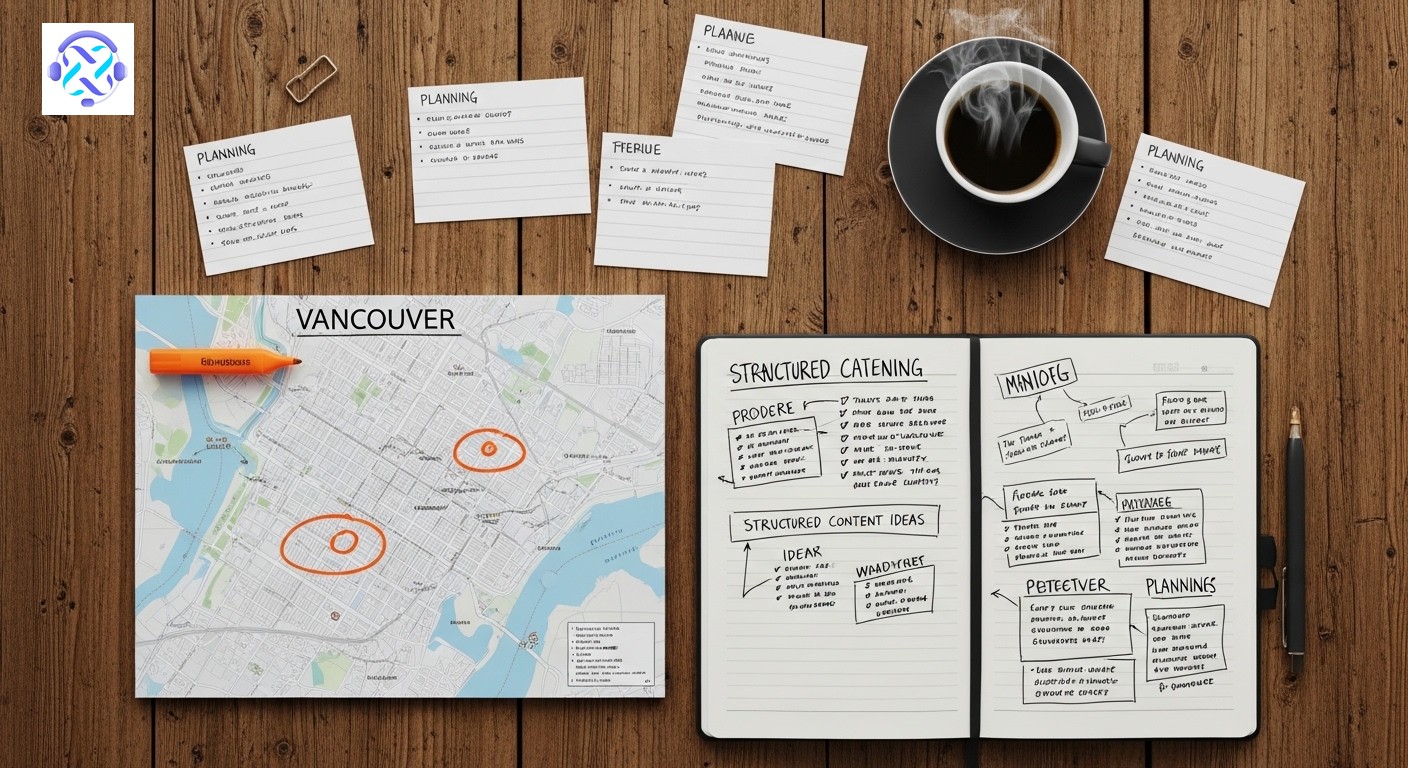
Google provides performance data inside the profile dashboard. The metrics worth tracking are:
- Call clicks — A potential customer dialling your number directly from the profile
- Direction requests — Someone navigating to your location
- Website taps — Visitors clicking through to your site
- Profile views — Overall visibility in search results
The Birdeye State of Google Business Profile report confirms that once users discover a business on Google, they tend to move quickly from evaluation to action within the same interface. The goal of your posts is not just to drive clicks to a website — it is to generate those high-intent signals directly on the profile itself.
When reviewing performance monthly, look for which post types generated the most call clicks or direction requests in the days following publication, then concentrate effort on those formats and topics. NEWMEDIA.COM reports that around a third of local users make a purchase decision directly from profile information without further research, which means your posts function as a conversion layer, not a secondary priority.
Managing Posts In-House vs. Getting Professional Help
A business with one location, a clear service offering, and a team member who can commit thirty minutes a week can run its own profile effectively. Posts do not need to be elaborate — they need to be consistent, relevant, and keyword-aware.
Businesses competing in dense local markets, targeting multiple service areas, or struggling to convert profile views into actual leads are usually dealing with a strategy gap, not just a content gap. Posting more of the same content will not fix the underlying problem.
Businesses managing multiple locations, running concurrent ad campaigns, or trying to build visibility across Downtown Vancouver, East Vancouver, or the broader Lower Mainland benefit from a structured system built around measurable outcomes rather than post volume alone. That means integrating your posting activity with broader optimisation efforts — categories, photos, review strategy, and keyword alignment — into a single coherent approach.
At Leadsagna, we approach this the way engineers approach a system: identify what is working, eliminate what is wasting effort, and build a repeatable process that scales. If your profile is getting views but not generating calls, that is a problem worth solving with precision, not guesswork.
If you are ready to turn your Google Business Profile into a consistent source of qualified leads, reach out to the Leadsagna team. We will take a clear-eyed look at where your profile stands today and build a posting strategy that connects your content directly to customer action.

Frequently Asked Questions
How long do Google Business Profile posts stay visible?
Standard posts remain visible for approximately seven days before rolling off the active display area. Event posts stay visible until the event date passes. To keep your profile looking current, aim to publish at least one new post per week. Do Google Business Profile posts directly improve local search rankings?
Posts contribute to the relevance and prominence signals that Google’s local algorithm uses to rank listings. Regular posting indicates your listing is actively managed, which can support your position in local map pack results over time. They work best as part of a broader strategy that also includes reviews, photos, and accurate business information. Which type of Google Business Profile post gets the most engagement?
Event and Offer posts tend to outperform standard Update posts in engagement. WebFX research suggests these formats generate roughly twice the interaction of general updates. Use them when you have a time-sensitive promotion or a bookable event to promote. How many times per week should a Vancouver business post on Google Business Profile?
One to two posts per week is a realistic and effective frequency for most small to mid-sized businesses. Consistency matters more than volume — a steady weekly rhythm produces better long-term results than occasional bursts of activity followed by extended gaps. What should I include in a Google Business Profile post to attract local customers?
Mention your service, your location or the neighbourhoods you serve, and a clear call to action such as “book now” or “get a quote.” Posts that reference local context help Google confirm your relevance to nearby searchers and build trust with customers reading your listing.


